Posture Tracking AI Basics
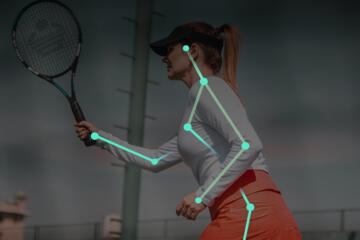
Posture tracking AI estimates body position during computer work by analyzing visual frames from a laptop camera, depth camera, or phone, or by reading signals from wearables such as inertial sensors. The goal is not to diagnose a medical condition; it is to detect patterns like forward head posture, rounded shoulders, or prolonged stillness that often accompany remote work fatigue.
In practice, many systems output a simple “posture score,” a set of joint angles, or a “time in neutral” estimate. Some also trigger micro-break prompts when you stay in a slouched posture for a threshold duration. A common workflow looks like this: you start a session, the app calibrates to your baseline, it logs posture events, and it sends reminders when your posture drifts beyond a configured range.
Calibration matters because camera-based models depend on lighting, camera placement, and how you sit during the first minute. If you calibrate while leaning back or with your monitor too low, the system may treat that posture as “neutral,” which defeats the point. I’ve seen this go wrong in tools that default to a generic baseline; the UI might say “calibrated,” but the underlying reference frame can still be off.
Why Remote Work Fatigue Happens
Remote-work fatigue often comes from sustained low-level muscle tension rather than a single “bad posture” moment. When you sit for long stretches, the neck extensors, upper trapezius, and shoulder stabilizers work continuously to hold your head and arms in place. Over time, that steady load can feel like stiffness, dull pain, or a heavy head sensation.
People also misread what “good posture” means. Many assume the goal is a rigid, perfectly upright spine, but most ergonomic guidance emphasizes dynamic sitting: frequent position changes, supported neutral alignment, and periodic movement. A posture tracker that rewards only one static posture can encourage overcorrection, which sometimes increases discomfort.
Another dependency is the measurement method. Vision-based systems infer posture from landmarks on the face and torso; they can struggle with occlusions (hands covering the chest), unusual camera angles, or glare. Wearables can estimate orientation, but they may not map cleanly to joint angles without a model that assumes how the sensor is mounted. Even the sampling rate matters: a system that updates posture every 1–2 seconds may miss short slumps, while a system that updates every few frames may produce noisy alerts.
Finally, fatigue is not only posture. Eye strain, keyboard height, chair support, and desk depth drive muscle load. A posture tracker can flag slouching while the real issue is a monitor that sits too low, a chair that lacks lumbar support, or a mouse that forces shoulder abduction.
Solutions And Practical Advice
Set A Baseline And Limits
Start with a calibration that reflects how you normally sit, then adjust your workstation so “neutral” feels reachable. During calibration, keep your monitor at a consistent height and place the camera at a stable angle. If the app offers a “neutral posture” capture button, use it after you’ve moved your chair and screen, not before.
Set alert thresholds conservatively. A good first test is to trigger reminders after a sustained drift, such as 5–10 minutes, rather than after every brief movement. If the system supports a “sensitivity” slider, lower it when you notice frequent false alarms; noisy prompts train you to ignore the tool, which defeats the purpose.
One small aside: some apps label versions in the settings panel (for example, “v1.8.3” shown in an “About” screen). If you test after an update, re-check calibration because model changes can shift what the system considers “neutral.”
Use Micro-Breaks With Movement
Posture tracking works best when alerts lead to a short movement routine. Aim for 30–60 seconds of change rather than a long break. A practical pattern is: stand up, roll shoulders back once, do a gentle neck range-of-motion (slow left-right turns), then return to the desk with the monitor still centered.
Track whether the alert changes your behavior. If you receive 20 prompts in a two-hour session and you ignore most of them, the system is not reducing fatigue; it is adding distraction. Many people tolerate fewer, better-timed prompts more than constant notifications.
For remote work, a simple schedule often beats constant monitoring: for example, use posture alerts during the first hour of a meeting-heavy block, then switch to a lighter mode later. This approach reduces alert fatigue while still interrupting long static periods.
Match The Tracker To Your Setup
Vision-based tracking depends on camera placement. Place the camera so your torso and head are visible without extreme wide-angle distortion. Avoid strong side lighting that creates shadows on the face or neck. If you use a laptop camera, consider raising the laptop slightly so the camera sees your posture from a consistent height.
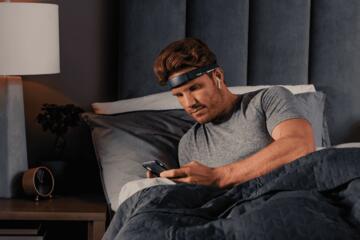
Wearables depend on correct placement. If you use an inertial sensor on the sternum or upper back, secure it consistently and avoid shifting it between sessions. A sensor that slides a few centimeters can change the orientation estimate and produce misleading posture scores.
When the tool offers “workspace profiles,” create one for your home desk and one for your occasional desk. The same person can look different to the camera when the chair height or monitor distance changes, and the model may treat those differences as posture changes.
Test Accuracy Without Overtrust
Before relying on posture scores, run a short validation. Sit in three deliberate positions for 30–60 seconds each: neutral, mild slouch, and a supported upright posture with back contact. Compare what the app reports to what you feel in your neck and upper back. If the system reports “neutral” for the slouch position, recalibrate or adjust camera placement.
Also check for systematic bias. If the tracker consistently flags one side (for example, “left shoulder elevated”) during normal typing, it may be misreading arm position or desk occlusion. In that case, reduce sensitivity or disable arm-related cues and focus on head and trunk angles.
Do not treat posture tracking as a medical measurement. If pain increases, radiates, or comes with numbness or weakness, stop using the tool as a guide and seek clinical evaluation. Posture tracking can help with behavior, but it cannot rule out nerve involvement or other causes.
Case Examples From Realistic Workdays
Example 1: Camera Alerts During Calls
An anonymized remote worker uses a laptop camera posture app during video calls. During calibration, they sit slightly forward to reach the keyboard, then the monitor remains low. The app later triggers frequent “forward head” alerts, which the worker finds distracting during meetings. After raising the monitor and re-running calibration, the alerts become less frequent and more aligned with moments when they lean toward the screen.
The worker also changes the response: each alert triggers a 40-second movement break rather than a long pause. Over a week, they report fewer “heavy neck” episodes after long calls, even though the posture score fluctuates. The key lesson is that the tracker’s usefulness depends on workstation geometry and on how alerts translate into action.
Example 2: Wearable Drift With Sensor Slippage
An anonymized employee uses a wearable posture tracker mounted on the upper back. In the first few days, the system logs good “upright time,” but discomfort increases because the sensor shifts when they adjust their chair. The app then shows sudden posture drops that do not match how they feel. They re-secure the sensor, keep the same chair position, and reduce sensitivity to avoid alerts from minor sensor movement.
After the adjustment, the logs become more stable, and the employee uses the prompts mainly to remind them to stand and reset their desk setup. This scenario shows a limitation: sensor-based posture estimates can degrade when the physical mounting changes.
Checklist For Choosing A System
| Decision Factor | What To Look For | Why It Matters | Quick Test |
|---|---|---|---|
| Alert Timing | Thresholds for sustained slouch (5–10 min) | Reduces alert fatigue and false positives | Sit slouched for 6–8 min; confirm one or two prompts |
| Calibration Controls | Manual neutral capture and camera guidance | Prevents “wrong neutral” reference frames | Neutral vs slouch should produce different scores |
| Privacy Controls | Clear data retention, local processing options | Minimizes exposure of face/body data | Check settings for “recording,” “upload,” and deletion |
| Actionability | Prompts that trigger movement, not only scores | Fatigue improves with change, not monitoring alone | Test whether alerts lead to a 30–60 sec routine |
Step-by-step checklist for a first week: set camera height, run calibration after monitor and chair adjustments, choose a low alert frequency, test neutral vs slouch for 3 short trials, then review logs once per day. If the system produces alerts that do not match your experience, adjust sensitivity or placement before trusting the data.
Common Mistakes That Undermine Results
One mistake is calibrating before fixing workstation geometry. If the monitor sits too low, the tracker may “learn” a forward head posture as neutral, and reminders will stop when you still feel strain.
Another mistake is treating posture scores as a health metric. A score can reflect camera angle, lighting, and occlusion rather than true joint alignment. When the app reports a drop but you feel fine, the measurement may be wrong, and you should verify camera placement or sensor mounting.
People also overcorrect. Chasing a perfect upright posture for hours can increase muscle tension in the neck and shoulders. A better approach uses the tracker to interrupt long static periods and then returns to a comfortable supported neutral.
Finally, some users ignore privacy settings. If the tool uploads video frames or stores identifiable face data, you should review retention periods and deletion options. Under the EU General Data Protection Regulation (GDPR), controllers must provide lawful basis and transparency for personal data processing, and you can request access or deletion in many cases. In the US, privacy rights vary by state, and you may rely on contractual terms and platform settings rather than a single national law.
FAQ
How Accurate Are Posture Scores?
Accuracy varies by camera angle, lighting, occlusions, and calibration quality. A practical check is to compare the app’s neutral vs slouch readings during short deliberate trials, then adjust placement if the scores do not change as expected.
Do I Need A Wearable Or A Camera?
Camera-based tracking works when your torso and head stay visible and the camera placement is stable. Wearables can reduce dependence on lighting but introduce issues when the sensor shifts; choose based on your workspace stability and tolerance for setup.
Will Posture Tracking Replace Ergonomics?
No. A tracker can prompt behavior, but it cannot fix monitor height, chair support, or keyboard reach. Use it alongside workstation adjustments and movement breaks.
What Privacy Risks Should I Expect?
Vision systems may process identifiable face and body data, and some products store logs or upload frames. Review whether processing is local, what data is retained, and how to delete sessions; privacy policies differ widely.
Can Posture Alerts Help Neck Pain?
They can help reduce fatigue from prolonged static sitting, which may lower perceived stiffness. If pain worsens, spreads, or includes numbness or weakness, posture tracking should not replace clinical assessment.
Author's Insight
Posture tracking AI can reduce remote-work fatigue when it interrupts long, low-movement periods and when its alerts map to real workstation changes. The measurement pipeline—camera or sensor placement, calibration, and alert thresholds—often determines whether the tool helps or becomes noise.
Evidence from ergonomics supports movement breaks and dynamic sitting, while posture tracking adds a behavioral feedback loop. The safest way to use these systems is to treat them as a coaching aid, validate their readings with short tests, and adjust settings when alerts do not match your experience.
For privacy, the practical step is to read the product’s data retention and deletion controls and to disable recording features you do not need. If a tool cannot explain what it stores and for how long, the risk-to-benefit ratio shifts.
Key Takeaways
- Posture tracking AI estimates alignment from camera or sensor data; calibration and camera/sensor placement drive accuracy.
- Use sustained-alert thresholds and convert prompts into 30–60 seconds of movement rather than rigid posture holding.
- Validate the system with short neutral vs slouch trials and adjust sensitivity when alerts conflict with your experience.
- Privacy settings and data retention controls matter because posture tracking can involve identifiable body data.
- Use posture tracking as a coaching tool alongside ergonomics and clinical guidance when pain symptoms change.